- Click "Order History" menu option at top of page.
- Click "Approved & Previous Orders"..
- Find Your Order Number in List (Use Filters If Needed)
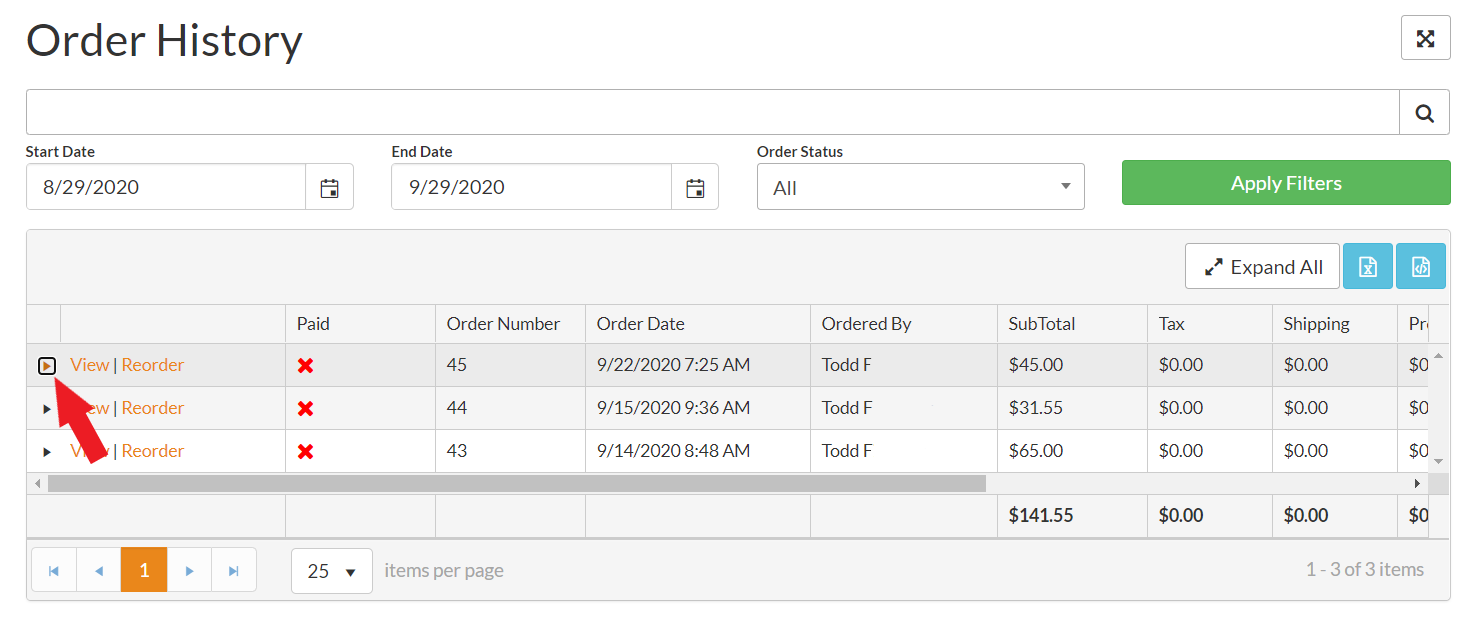
- Click "View" or Click the arrow button to toggle the item open and closed.
- Order Status will be shown - along with shipment tracking numbers, if available (order completed).
Is your order not shown in the list in Order History? Don't panic! Your order may be awaiting approval. You can view Pending Orders by clicking here.
Click Here For Full Order History How-To Support Article
Was this article helpful?
That’s Great!
Thank you for your feedback
Sorry! We couldn't be helpful
Thank you for your feedback
Feedback sent
We appreciate your effort and will try to fix the article